Stop wasting space on duplicate files
DuplicateFinder scans any folder — even a 400 GB photo library — and gives you a precise, safe merge plan in minutes. No cloud. No subscriptions. One licence, one machine.
Duplicate files are a silent tax on your storage
Every backup, sync, and copy operation creates invisible clutter. DuplicateFinder makes it visible — and safely removable.
The problem with duplicate files
- Backup drives fill up faster than expected — duplicates are invisible
- Photo libraries and document folders contain 20–40% redundant copies
- Manual review of thousands of files takes days, not hours
- Accidentally deleting the wrong file means permanent data loss
- Renaming duplicates hides them from simple name-matching tools
How DuplicateFinder solves it
- 4-stage pipeline compares content, not just names — catches renamed duplicates
- Multi-threaded scan handles large folders efficiently
- Smart merge planner consolidates files into the folder with the most content
- Recycle Bin by default — every deletion goes to the Windows Recycle Bin first
- Scan history lets you reload, review, and act on previous results anytime
Everything you need, nothing you don't
Built for Windows 10, 11, Windows Server, and macOS. No subscriptions. No cloud uploads. Your files never leave your machine.
Multi-threaded scan engine
Producer-consumer architecture with drive-type-aware thread count. NVMe gets 16 threads; external drives are tuned automatically — always optimal, never wasteful.
4-stage detection pipeline
Hard-link check → size filter → partial hash → full hash. Eliminates 99% of candidates before reading a single full file. Catches renamed and moved duplicates.
Smart merge planner
Automatically picks the winner folder (most files wins). Filter by file type. Preview every action before it happens. Execute with one click.
Scan history & reload
Every scan is persisted with its full results, log, and merge plan. Load a scan from last week and continue where you left off — no need to re-scan.
Recycle Bin safe by default
All deletions go to the Windows Recycle Bin first. Nothing is permanently removed without your explicit opt-in. Dry Run mode lets you preview every action risk-free.
Machine-bound licence
Your licence is tied to your hardware fingerprint. Secure, offline-validated activation with a 30-day activation window from purchase date.
Supported operating systems
DuplicateFinder is a native desktop application built for Windows 10, Windows 11, Windows Server 2019+, and macOS 12 Monterey or later. No additional runtimes required.
Windows 10
- Home (64-bit)
- Pro (64-bit)
- Enterprise (64-bit)
- Version 1903 or later
Windows 11
- Home (64-bit)
- Pro (64-bit)
- Enterprise (64-bit)
- All current builds
Windows Server
- Server 2019 (64-bit)
- Server 2022 (64-bit)
- Server 2025 (64-bit)
- Desktop Experience required
macOS
- macOS 12 Monterey or later
- Apple Silicon (M1/M2/M3+)
- Intel Macs (64-bit)
- Universal build · separate .dmg
System requirements
Real screens. Real results.
These are actual screenshots of DuplicateFinder running on Windows 11.
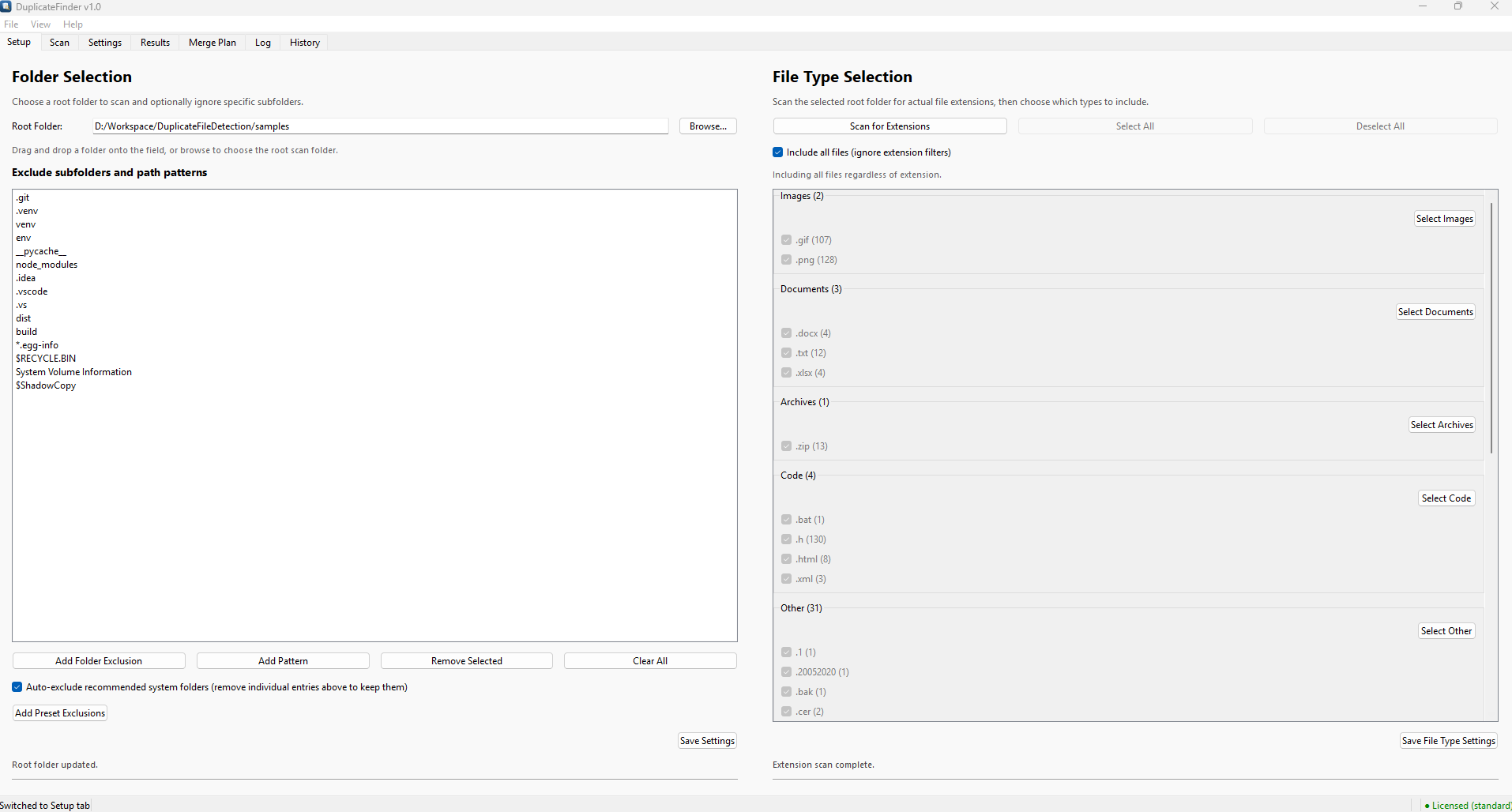
Setup — Folders & File Types
Pick your root folder, configure exclusions, then scan for extensions to target exactly what you want.
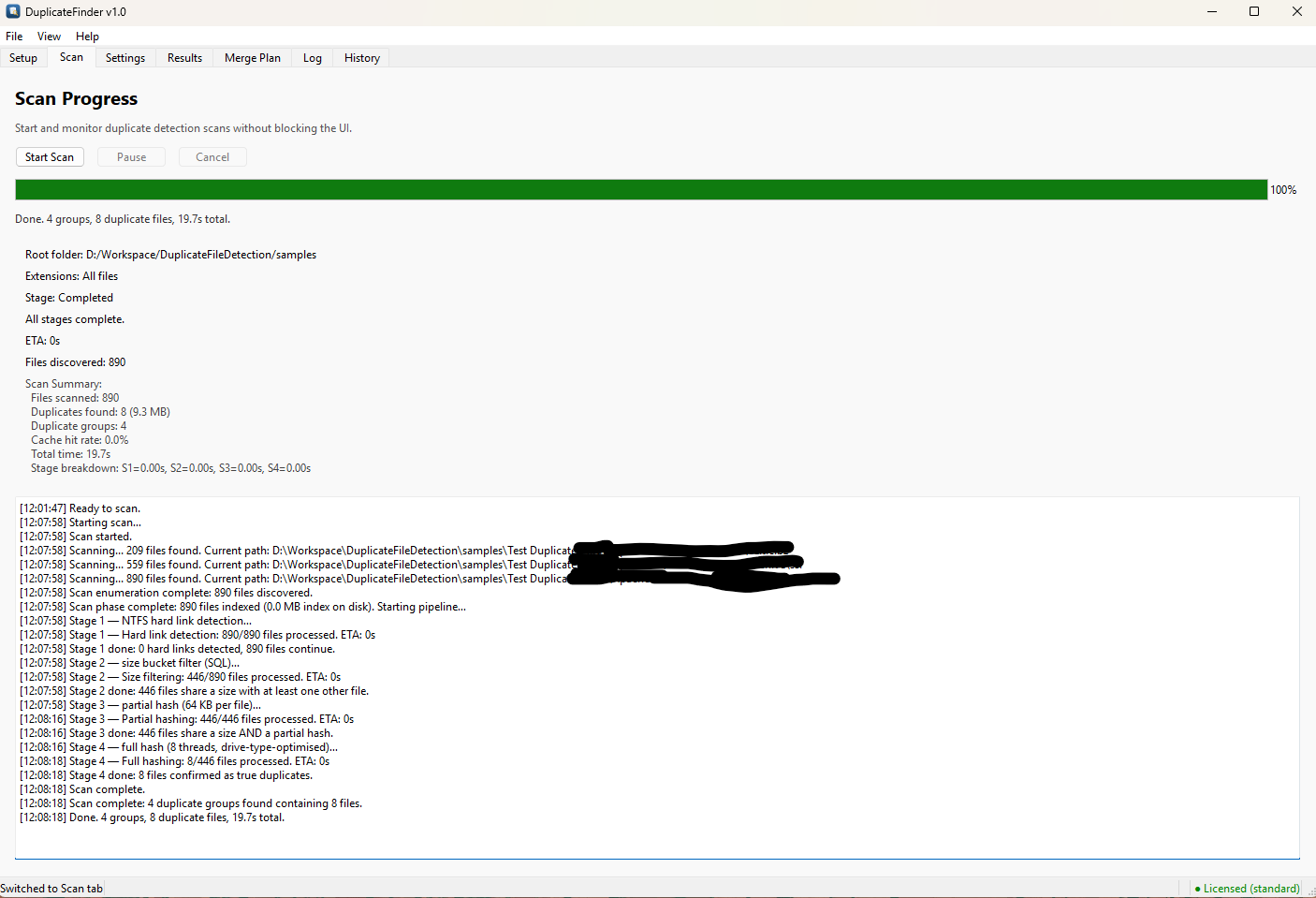
Real-Time Scan Progress
Live stage breakdown, file count, cache hit rate, and a scrolling log — all without freezing the UI.
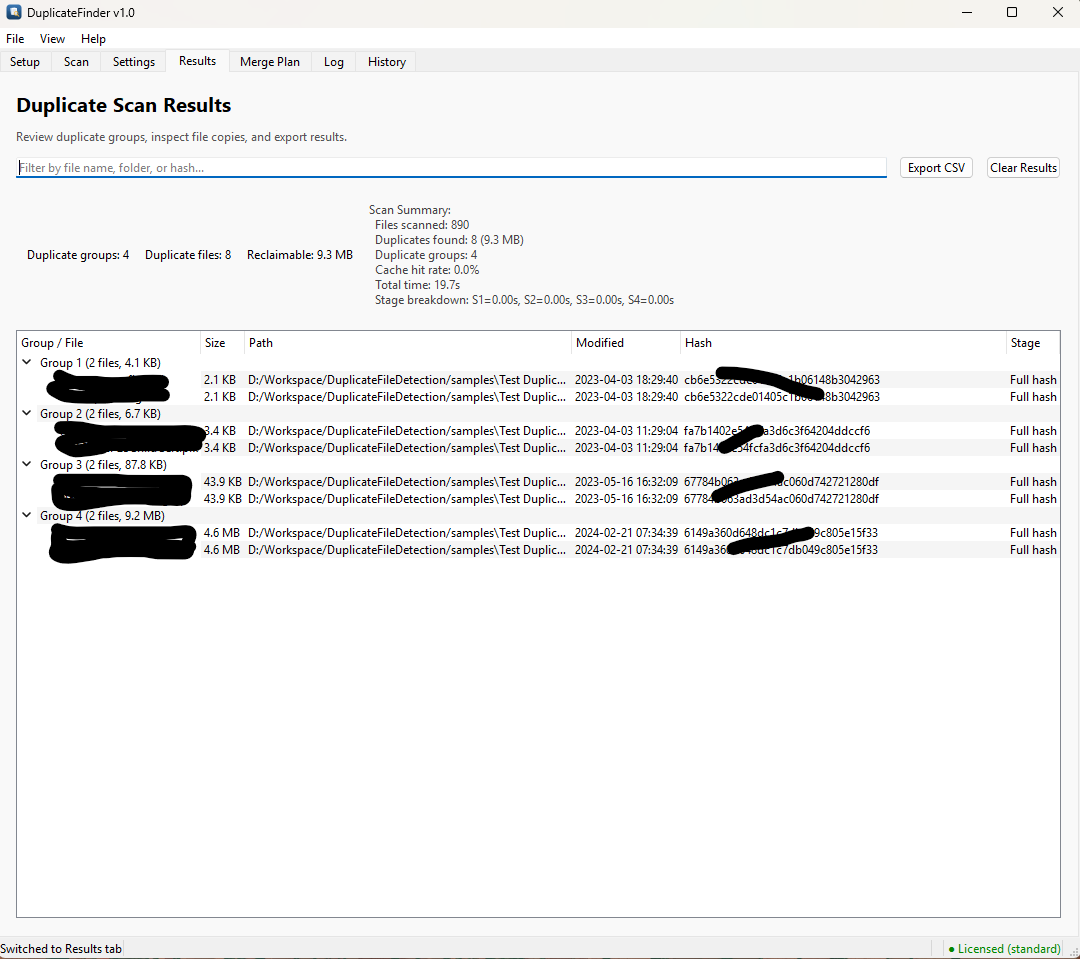
Duplicate Scan Results
Every duplicate group listed with full paths, sizes, modified dates, and content hashes. Filter and export to CSV.
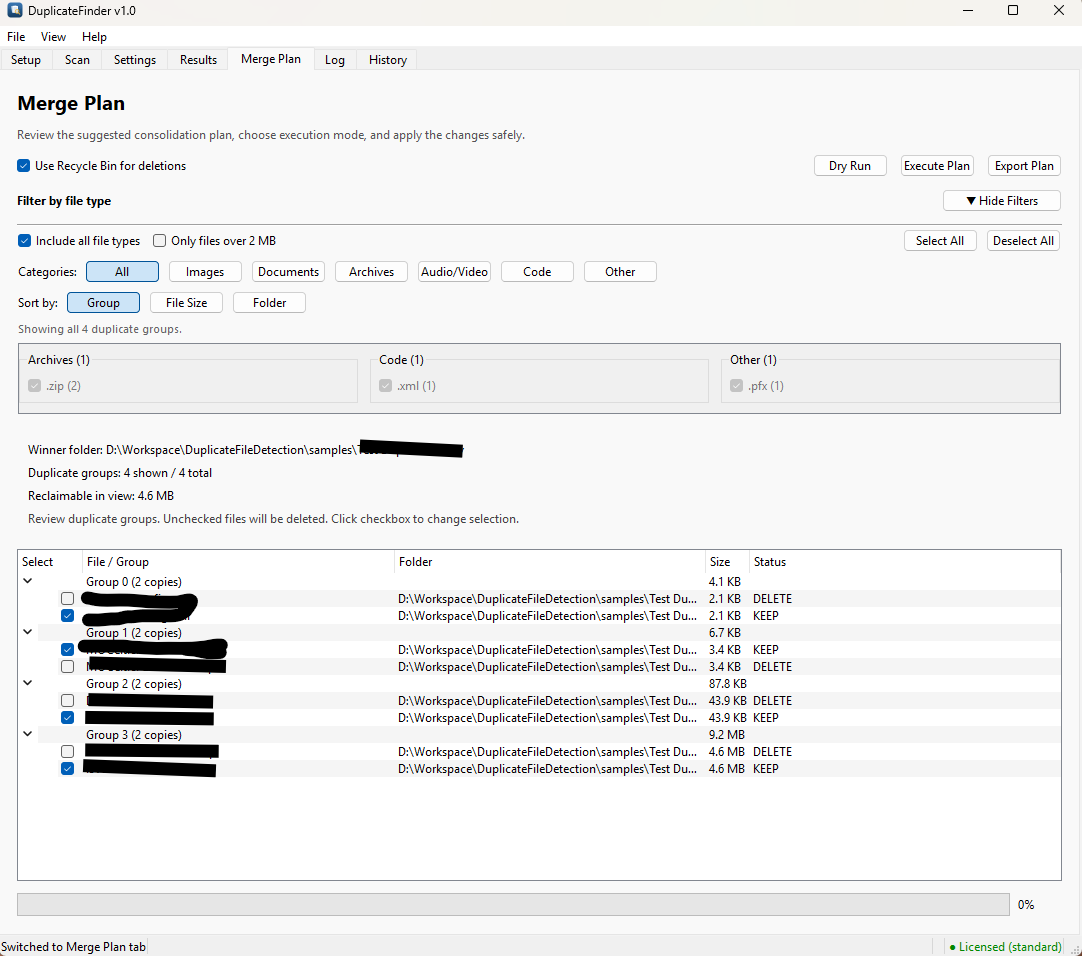
Smart Merge Plan
Filter by file type, sort by group or size, review KEEP / DELETE selections, then Dry Run or Execute.
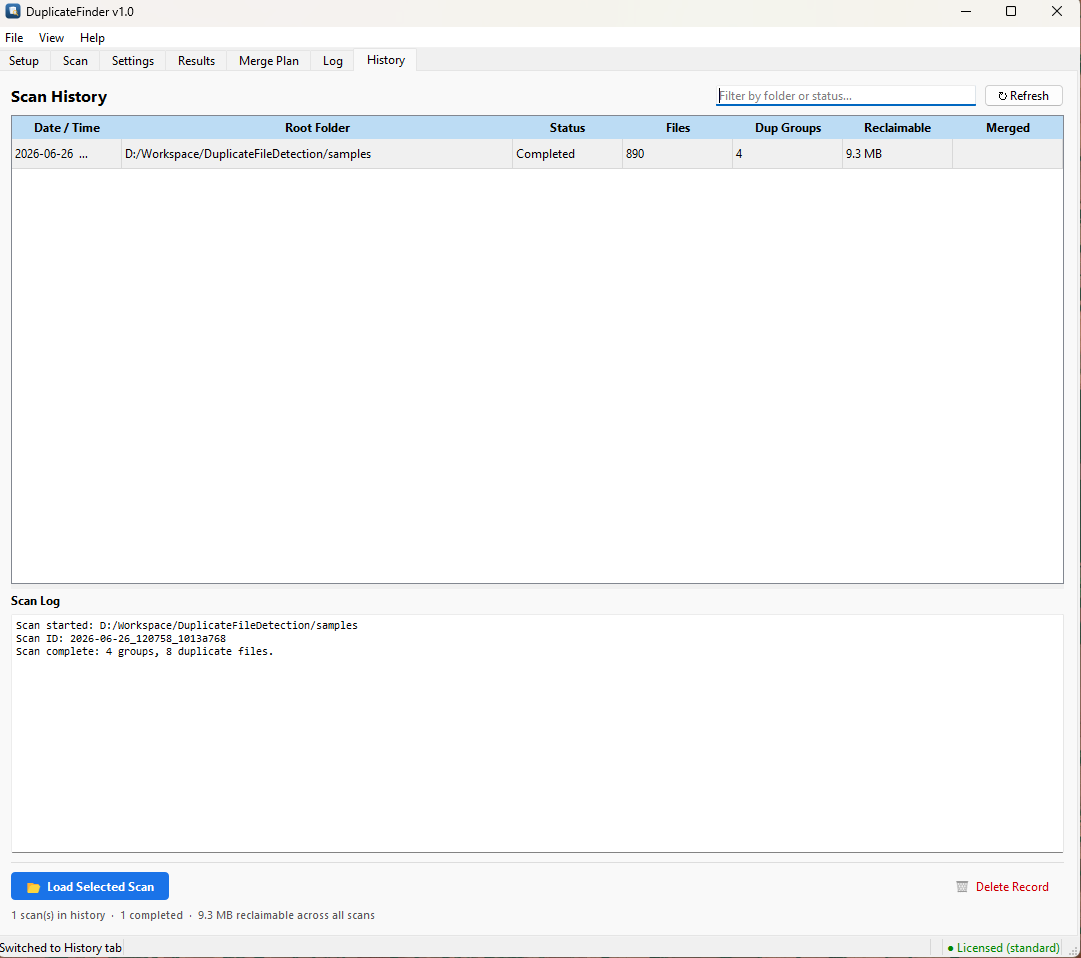
Scan History
Every past scan saved with its summary and log. Reload any previous result and re-execute its merge plan in one click.
Simple, one-time pricing
No subscriptions. No annual fees. Pay once, use forever on your machine.
DuplicateFinder
- Single machine licence (machine-bound)
- Windows 10, 11, Server 2019+ & macOS 12+ (64-bit / universal)
- Unlimited scans & folders
- All file types: images, video, audio, documents, archives
- Scan history & merge plan archive
- Recycle Bin safe deletion by default
- 3 years of security & bug-fix updates included
- Email support
Important — Please read before using
DuplicateFinder moves deleted files to the Windows Recycle Bin by default, so they can be restored if needed. However, it is your responsibility to carefully review all selections before executing any merge plan.
The application identifies duplicate files based on content hashing. While this is highly accurate, you should always verify that the files marked for deletion are genuinely unwanted duplicates — especially for important documents, photos, and irreplaceable files.
Recommended practice: Use Dry Run mode first to preview all planned deletions. After executing, review the Windows Recycle Bin before emptying it. AzIdea Solutions accepts no liability for data loss resulting from incorrect selections made by the user.
Common questions
Dry Run mode shows exactly what would happen without touching any files — always recommended before your first execution.
Note: It is your responsibility to review the merge plan carefully before executing. Always verify that files marked for deletion are genuinely duplicates you no longer need.
If you do not receive the email within 5 minutes, contact support@azideasolutions.com.
After 3 years, your software keeps working, but to continue receiving the latest features, security patches, and bug fixes you'll need to upgrade to the next major version (a separate, discounted upgrade). We keep the most recent releases of each version available on the Downloads page so you can always re-download what you own.